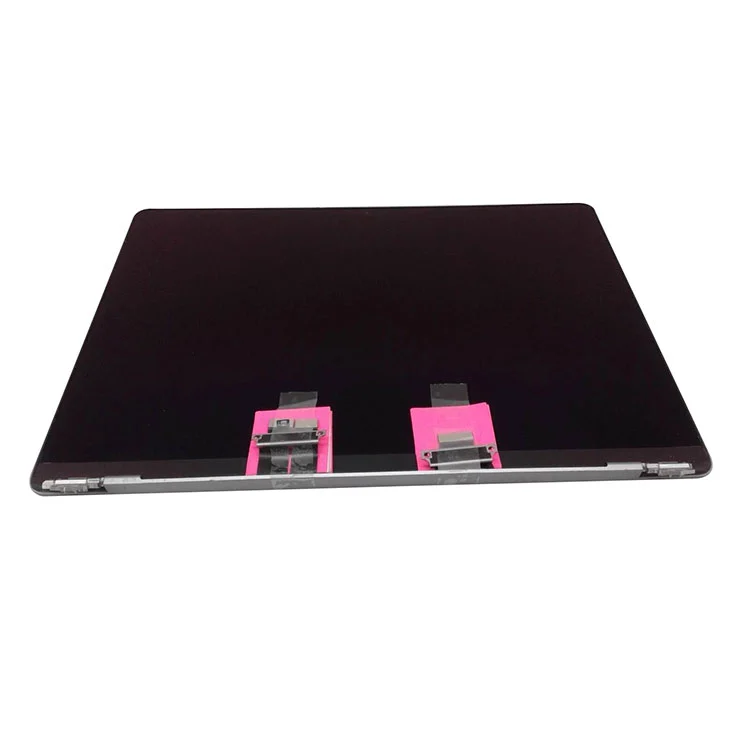
A MacBook LCD screen is the display panel that shows your computer's visual output. When it fails due to a cracked display, dead pixels, backlight failure, or water damage, replacing it can restore your device to its original condition—or even improve it, depending on the panel you choose.
Why LCD Screens Fail and Need Replacement
MacBook displays are precision components, but they're not invincible. Common reasons for replacement include:
-
Cracked or shattered glass from drops or impact
-
Dead pixels or visible lines across the screen
-
Backlight failure — dim or completely dark display
-
Flickering that doesn't resolve with software fixes
-
Water or liquid damage that affects the panel or its connections
Timely replacement is important for maintaining productivity and preventing further damage to internal components.
Types of MacBook LCD Screens
Modern MacBook screens typically use advanced display technologies:
|
Type
|
Description
|
Best For
|
|
Retina Display
|
High pixel density with sharp visuals
|
Designers, video editors, general users
|
|
LED-backlit LCD
|
Energy-efficient with better brightness
|
All modern MacBooks
|
|
IPS Panels
|
Wide viewing angles and color accuracy
|
Creative professionals
|
Retina displays have become standard on most newer MacBook models, offering significantly higher resolution and color accuracy than older non-Retina LCDs.
OEM vs Aftermarket: Understanding the Difference
This is one of the most important decisions when replacing a MacBook screen. Here's the honest breakdown:
|
Panel Type
|
Quality / Match
|
Best For
|
|
OEM / Original-Pull
|
Closest to factory; full True Tone support
|
Those wanting the original experience
|
|
Aftermarket Grade-A
|
Very high, near-original quality
|
Best balance of quality and price
|
|
Budget / Compatible
|
Good, with minor differences
|
Older Macs, value-focused repairs
|
|
Cheap Copies
|
Poor; fades or fails quickly
|
Avoid entirely
|
OEM / Genuine Panels
These are made by or for Apple to its exact specification, matching perfectly on colour, brightness, and features like True Tone. However, Apple does not sell brand-new genuine panels freely to independent repairers — so when an independent shop offers "genuine," it's typically an original-pull panel (carefully removed from another Apple device in good condition).
Aftermarket Grade-A
High-grade panels built to match the original's specifications closely. For most users, these offer the best balance of quality and price. The main differences may be subtle — certain brightness or colour nuances may not match the original exactly, but for everyday use, the difference is often negligible.
Budget and Cheap Copies
Budget/compatible panels can be a reasonable choice for older MacBooks or value-focused repairs. Cheap copies, however, should be avoided — they fade, lose touch response, or fail within months. Any quote that seems too cheap is usually for a reason.
Compatibility: Why Model Matters
MacBook screens are not interchangeable across models. You must match:
-
Model number (e.g., A2289, A1989, A1534)
-
Screen size (13.3", 14.2", 16.2", etc.)
-
Resolution and backlight type
-
Connector type — older models use different cable types than newer Retina models
For example, the GBOLE screen replacement for MacBook Pro models A2289, A2159, A1989, and A2251 comes as a complete top assembly with 2560×1600 resolution. It includes the LCD assembly, back cover, cables, and webcam — but it only works for those specific models.
Before purchasing any replacement screen, verify your MacBook's model number. If you're unsure, contact the supplier with your model number and photos for confirmation.
OEM vs Aftermarket: Which Should You Choose?
There's no single right answer — it depends on your MacBook, your budget, and how long you plan to keep it:
|
Scenario
|
Recommendation
|
|
Newer MacBook, keeping long-term
|
OEM/original-pull or grade-A
|
|
Best all-round value
|
Aftermarket grade-A
|
|
Older Mac, budget repair
|
Premium compatible/budget panel
|
|
Any Mac, tight budget with caution
|
Budget panel (but avoid cheap copies)
|
Key Takeaways
-
Model compatibility is critical — always verify your MacBook model number before ordering a replacement screen
-
Understand what you're buying — "genuine" from an independent shop usually means original-pull, not new-in-box
-
Grade-A aftermarket is often the practical sweet spot for quality and price
-
Avoid cheap copies — they cost more in the long run when they fail
Final Thoughts
Replacing a MacBook LCD screen can restore your device to full functionality, but the panel you choose matters as much as the repair itself. Whether you opt for an original-pull panel for the closest match to factory performance or a grade-A aftermarket panel for the best value, knowing the grade and what it means is essential for making an informed choice.