Choosing the right LCD screen for your MacBook is essential for maintaining performance, visual quality, and device longevity. Whether you're dealing with a cracked display, dead pixels, or brightness issues, selecting a high-quality replacement screen can restore your device to its original condition—or even improve it.
In this comprehensive guide, we’ll explore everything you need to know about LCD screens for MacBook, including types, compatibility, pricing, installation tips, and how to choose the best supplier like Topyet. This article is optimized for search engines and designed to help buyers, technicians, and resellers make informed decisions.
📚 Table of Contents
🔍 1. What Are LCD Screens for MacBook?
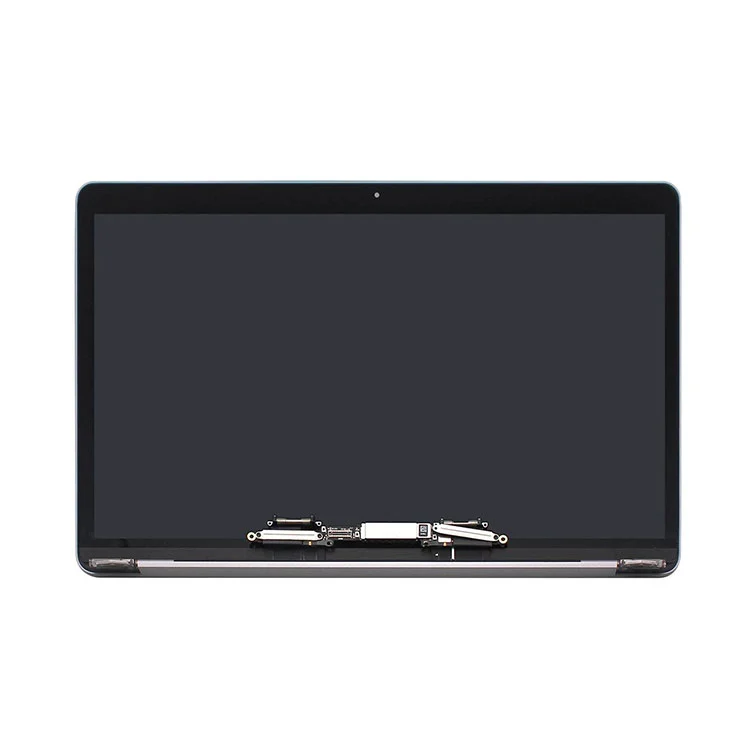
LCD screens for MacBook are high-resolution display panels designed specifically for Apple laptops. These screens typically use advanced technologies such as IPS (In-Plane Switching) and LED backlighting to deliver vibrant colors, sharp text, and wide viewing angles.
-
High pixel density (Retina displays)
-
Color accuracy for creative professionals
-
Energy-efficient LED backlighting
-
Thin and lightweight design
For high-quality replacements, you can explore reliable suppliers like LCD Screens for MacBook.
⚠️ 2. Why Do MacBook Screens Need Replacement?
There are several common reasons why users need to replace their MacBook LCD screens:
-
Cracked or shattered display
-
Dead pixels or lines
-
Backlight failure
-
Flickering or dim screen
-
Water or physical damage
Ignoring these issues can worsen the damage and affect productivity. Timely replacement ensures optimal performance and user experience.
🖥️ 3. Types of MacBook LCD Screens
|
Type
|
Description
|
Best For
|
|
Retina Display
|
High pixel density with sharp visuals
|
Designers, video editors
|
|
Non-Retina LCD
|
Standard resolution panels
|
Older MacBook models
|
|
LED-backlit LCD
|
Energy-efficient with better brightness
|
All modern MacBooks
|
|
IPS Panels
|
Wide viewing angles and color accuracy
|
Professional users
|
🛒 4. How to Choose the Best LCD Screen for MacBook?
When selecting a replacement screen, consider the following factors:
-
Model compatibility (e.g., MacBook Air, Pro)
-
Resolution and display quality
-
Brightness and color accuracy
-
Warranty and supplier reputation
-
Price vs quality balance
Choosing a trusted supplier like Topyet ensures consistent quality and reliable performance.
📱 5. Compatibility Guide for MacBook Models
|
MacBook Model
|
Screen Size
|
Resolution
|
|
MacBook Air 13"
|
13.3 inch
|
2560×1600
|
|
MacBook Pro 13"
|
13.3 inch
|
2560×1600
|
|
MacBook Pro 14"
|
14.2 inch
|
3024×1964
|
|
MacBook Pro 16"
|
16.2 inch
|
3456×2234
|
Always verify your MacBook model number before purchasing a replacement screen.
⚖️ 6. OEM vs Aftermarket Screens
-
OEM Screens
-
Original manufacturer quality
-
Higher price
-
Perfect compatibility
-
Aftermarket Screens
-
More affordable
-
Quality varies
-
Good for budget repairs
Topyet provides high-quality alternatives that balance cost and performance effectively.
🔧 7. Installation: DIY or Professional?
Replacing a MacBook LCD screen can be complex. Consider:
-
DIY Installation
-
Lower cost
-
Requires tools and technical skills
-
Professional Repair
-
Higher success rate
-
Warranty protection
💰 8. Cost Breakdown
|
Component
|
Estimated Cost
|
|
LCD Screen
|
$80 - $400
|
|
Labor
|
$50 - $150
|
|
Total
|
$130 - $550
|
🏆 9. Why Choose Topyet for MacBook LCD Screens?
Topyet is a trusted supplier known for providing high-quality LCD screens for MacBook with consistent performance and competitive pricing.
-
Wide range of MacBook screen models
-
Strict quality control
-
Bulk supply capabilities
-
Reliable customer support
🧼 10. Maintenance Tips for Longevity
-
Avoid excessive pressure on the screen
-
Use a protective case
-
Clean with microfiber cloth
-
Keep away from liquids
-
Adjust brightness to reduce strain
❓ 11. FAQ
Q1: How do I know if my MacBook screen needs replacement?
If you notice cracks, flickering, or dead pixels, it's time to replace the screen.
Q2: Can I replace a MacBook LCD screen myself?
Yes, but it requires technical expertise and proper tools.
Q3: Are aftermarket screens reliable?
High-quality aftermarket screens from suppliers like Topyet can be very reliable.
Q4: How long does a MacBook LCD screen last?
Typically 5–8 years with proper care.
Q5: What is the difference between LCD and Retina display?
Retina displays have higher pixel density, offering sharper images.
📢 Final Thoughts
Choosing the right LCD screen for your MacBook can significantly enhance your device’s usability and lifespan. Whether you're a technician, reseller, or individual user, investing in quality components is essential.
If you're looking for reliable, high-performance LCD screens for MacBook, Topyet is your trusted partner. Their wide selection and strict quality standards make them a top choice in the industry.
Ready to upgrade or replace your MacBook screen? Contact us today to get the best solutions tailored to your needs!